Sign in safely
Every customer has an environment of its own, behind two factors.
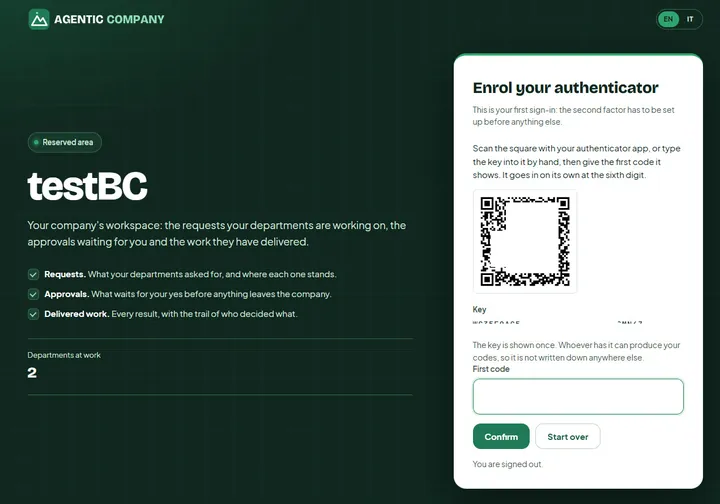
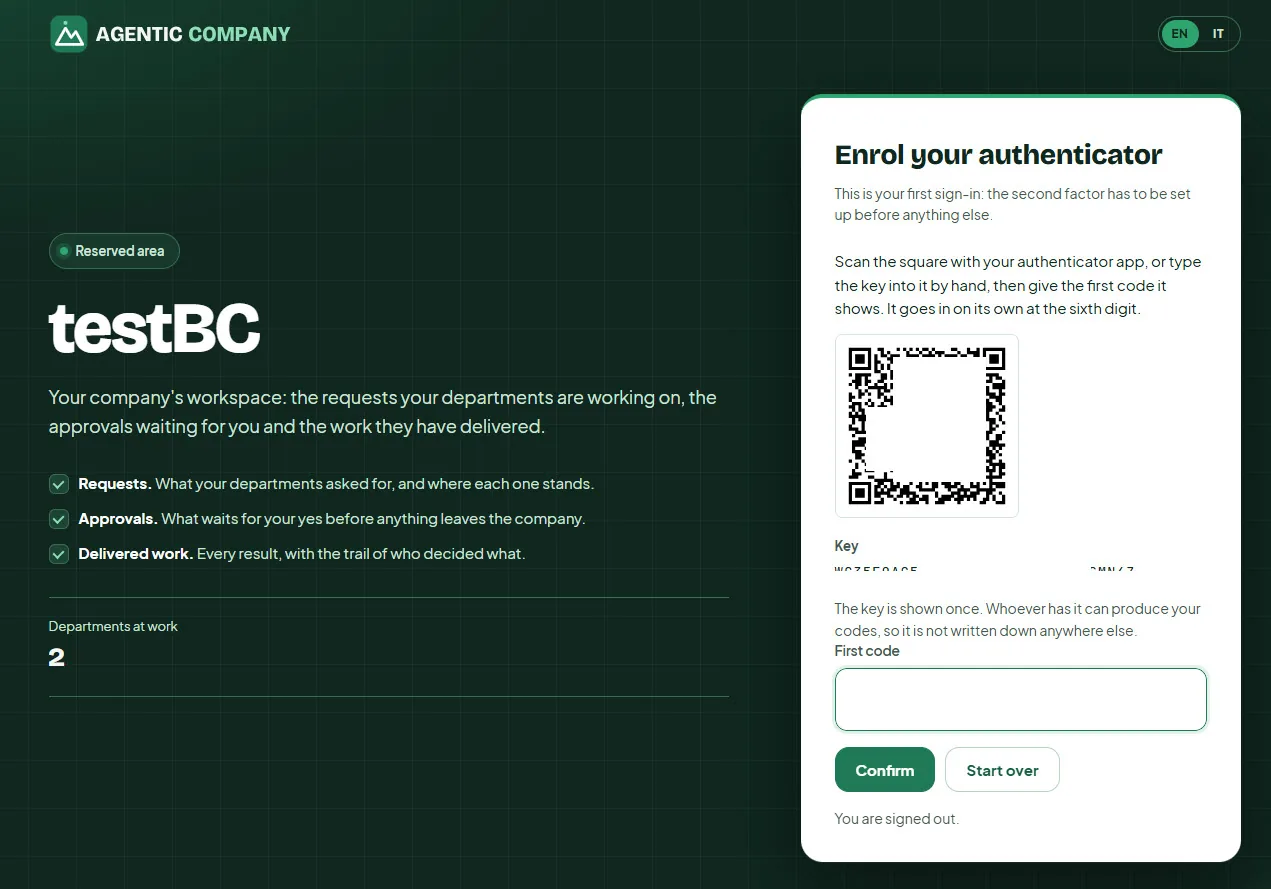
A second factor from the very first sign-in
The first sign-in enrols an authenticator app before anything else is shown. Requests, approvals and delivered work stay behind two factors, in a workspace that belongs to your company alone.
Open full sizeSet up in four guided steps
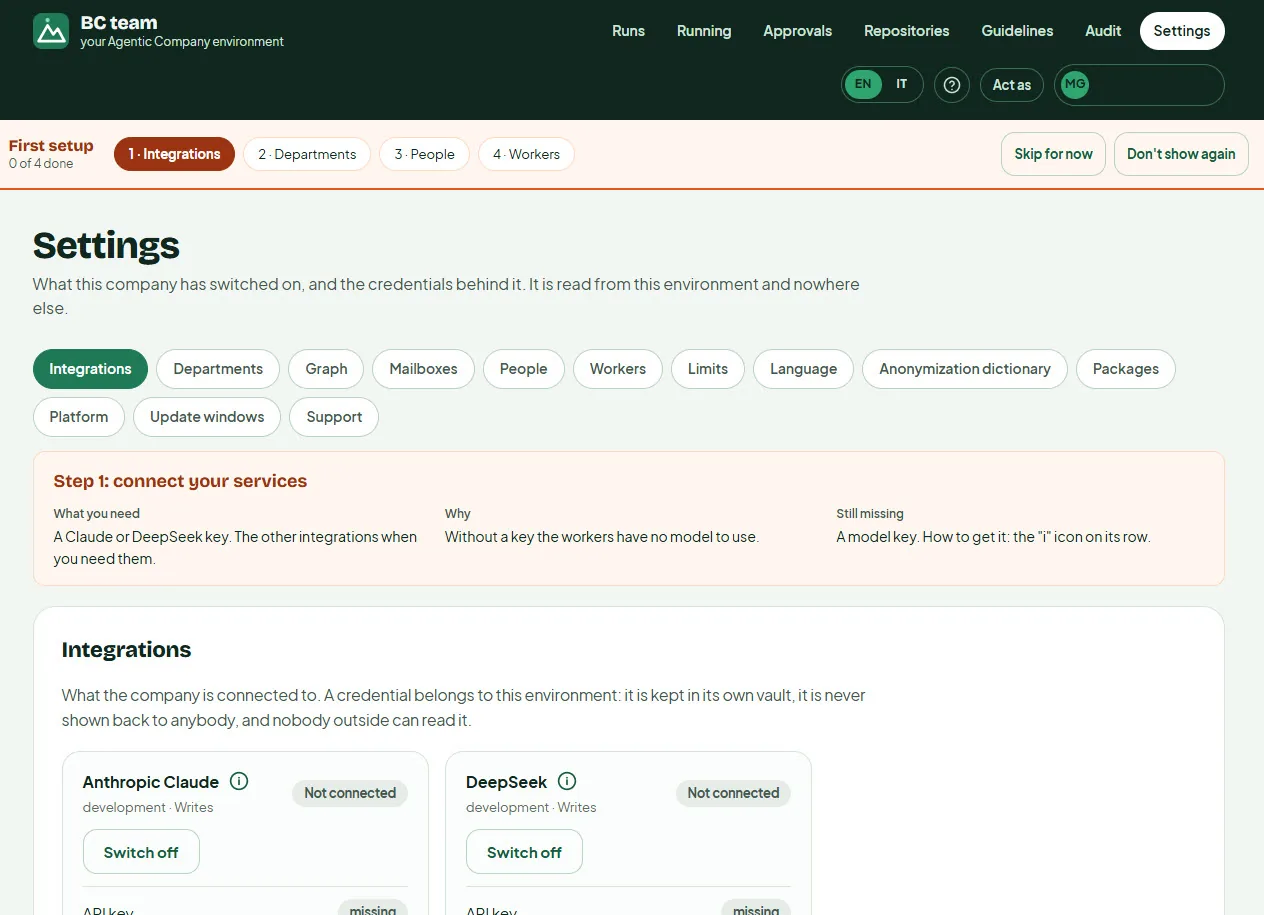
A first-setup bar takes you through what is needed, and says what is still missing.
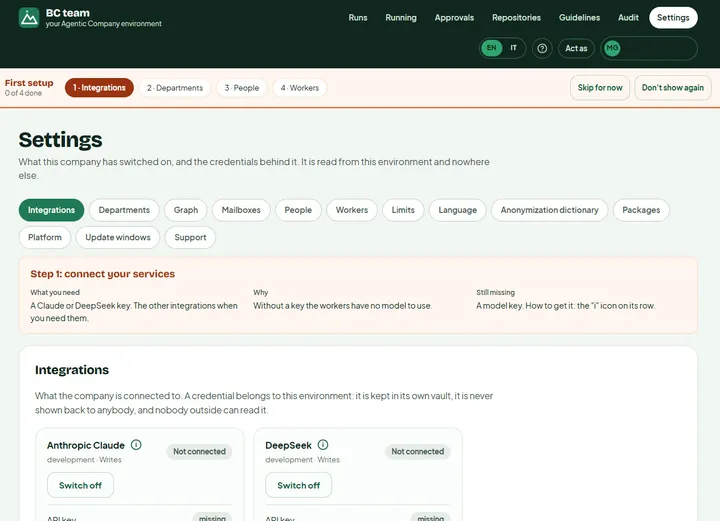
Step 1 · connect the AI model
Your own Claude or DeepSeek API key goes into the environment's own vault: it is never shown back to anybody. Azure DevOps, GitHub and mail are added when you need them.
Open full size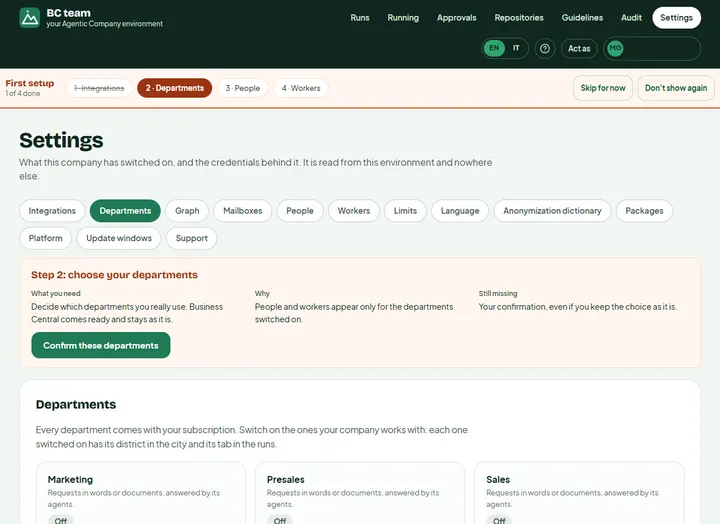
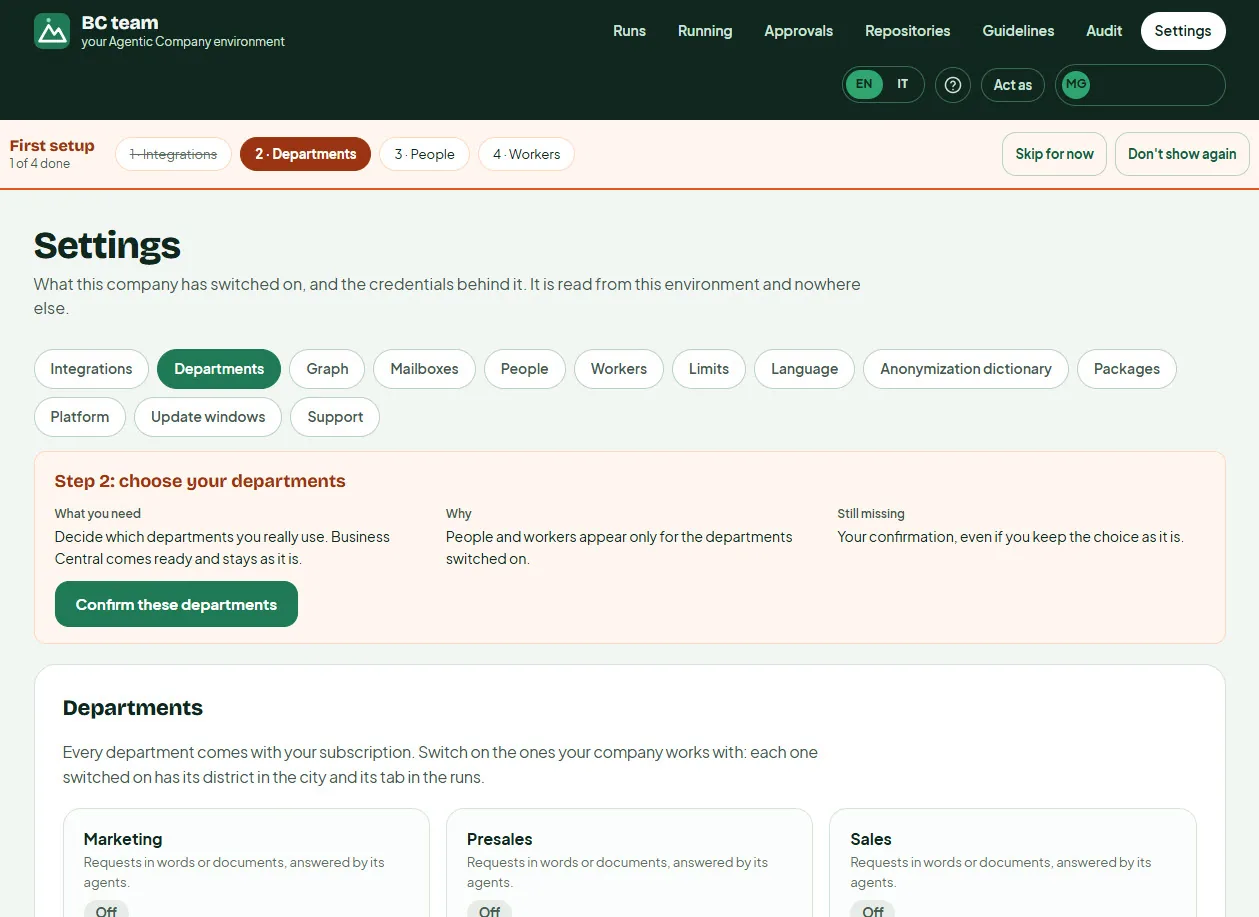
Step 2 · choose your departments
Every department comes with the subscription: Business Central development and functional, support, sales, marketing and more. Switch on the ones you work with: each gets its district in the city and its tab in the runs.
Open full size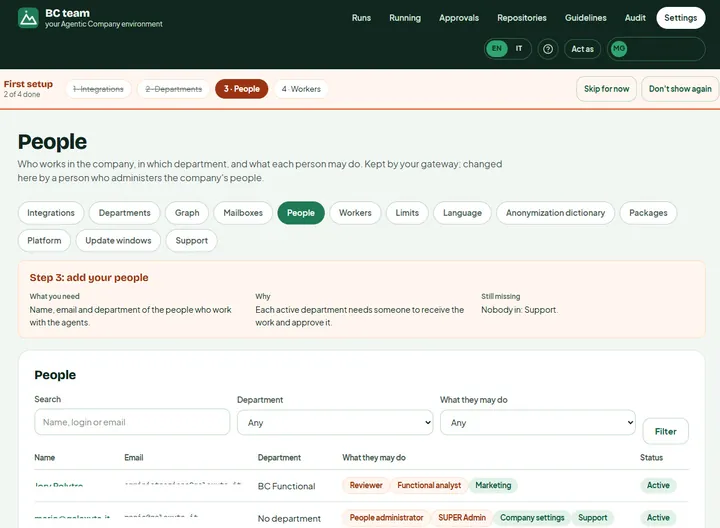
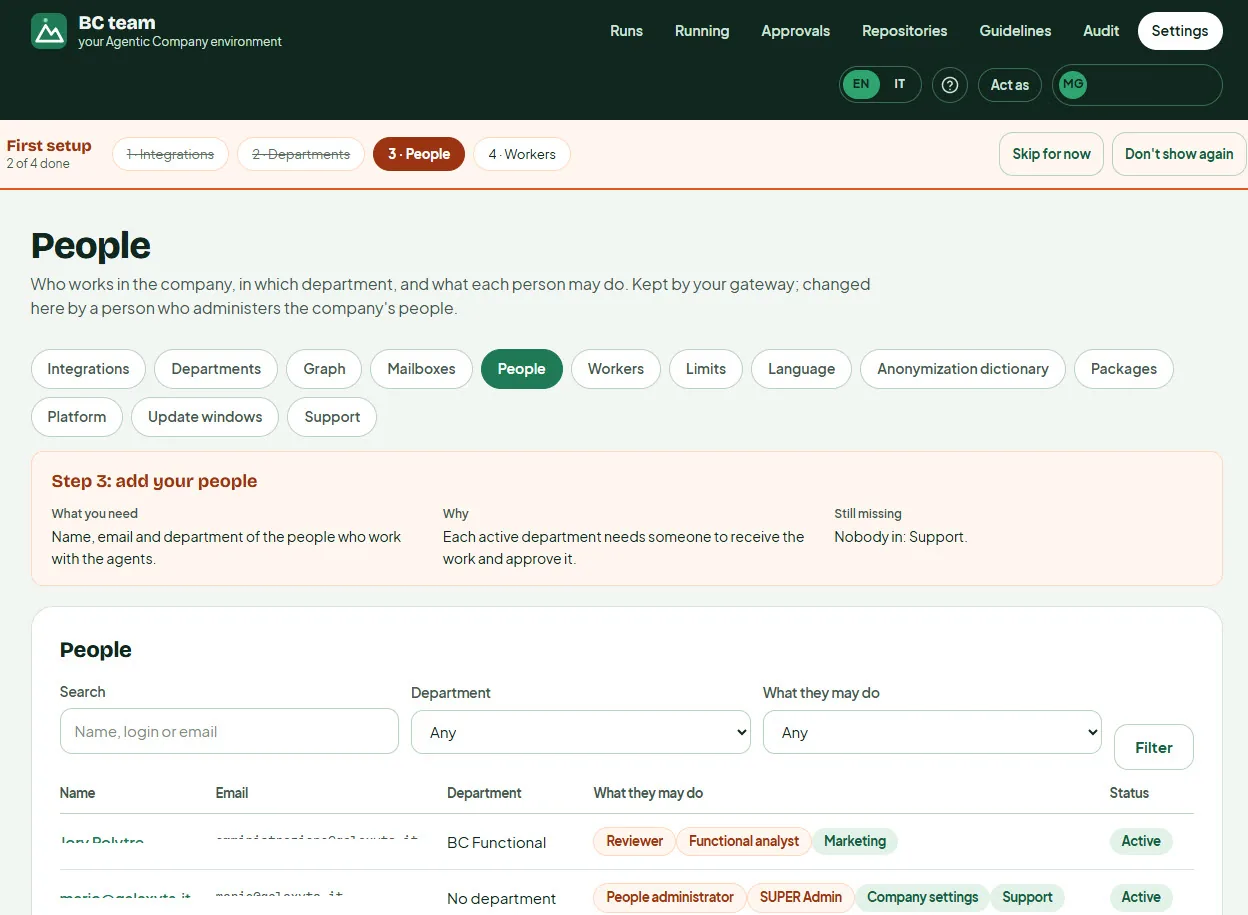
Step 3 · add your people and what they may do
Who works with the agents, in which department, with which roles: reviewer, functional analyst, people administrator. Every active department needs somebody to receive the work and approve it.
Open full size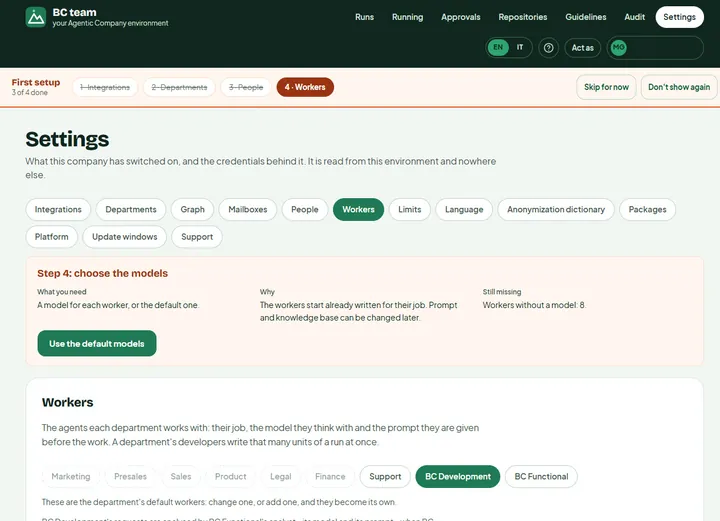
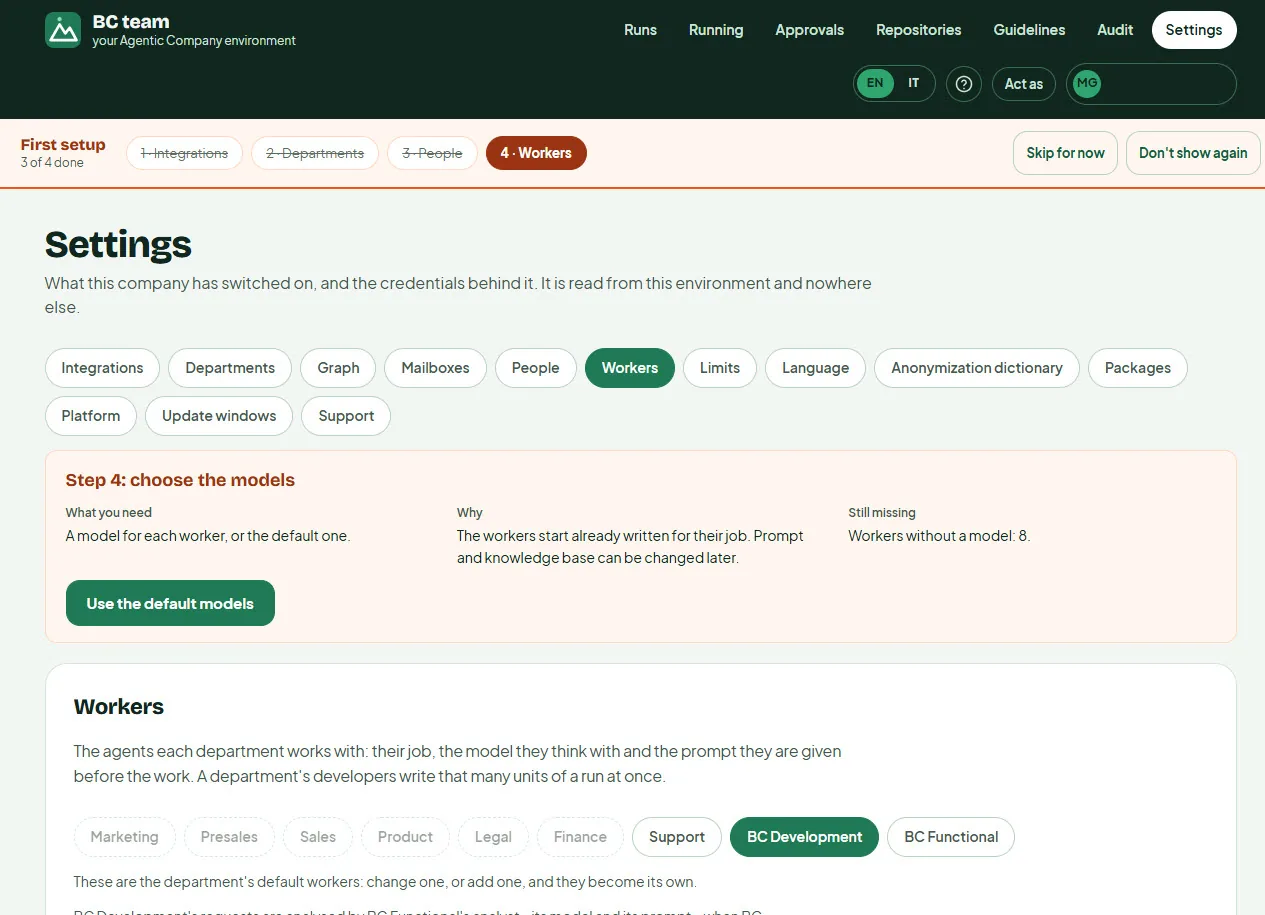
Step 4 · give each worker its model
The agents come already written for their job: analyst, developers, reviewer, tester, translator. Pick a model for each, or the default ones in one click. Prompts and knowledge base can be tuned later.
Open full sizeAsk in your own words
A paragraph or a document is enough: the agents turn it into an analysis and a project you approve.
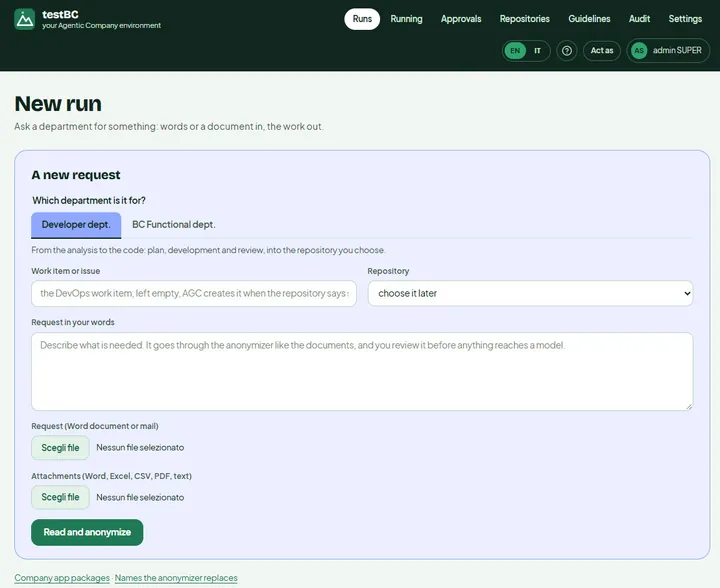
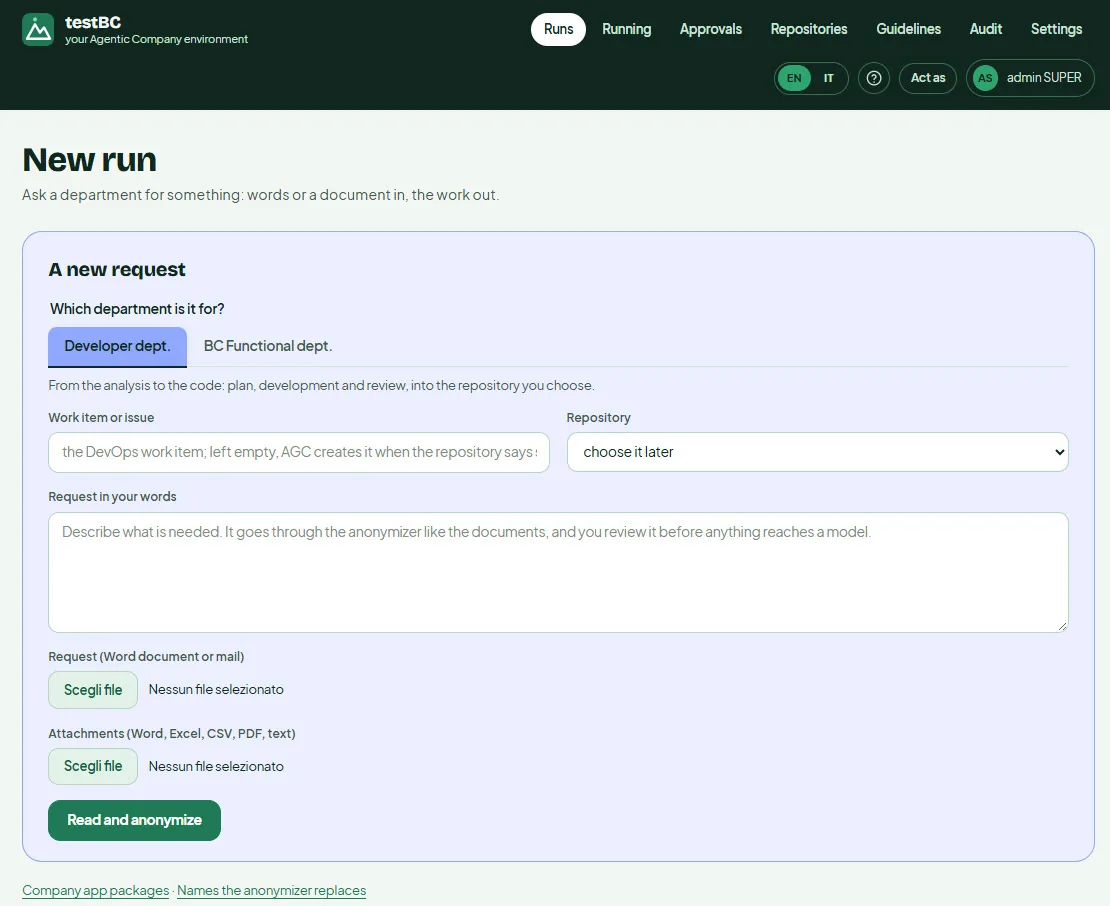
A new request: words or a document
Pick the department, describe what is needed or upload a Word document or a mail, with Excel, CSV or PDF attachments. Before anything reaches a model it goes through the anonymiser, and you review what will be sent.
Open full size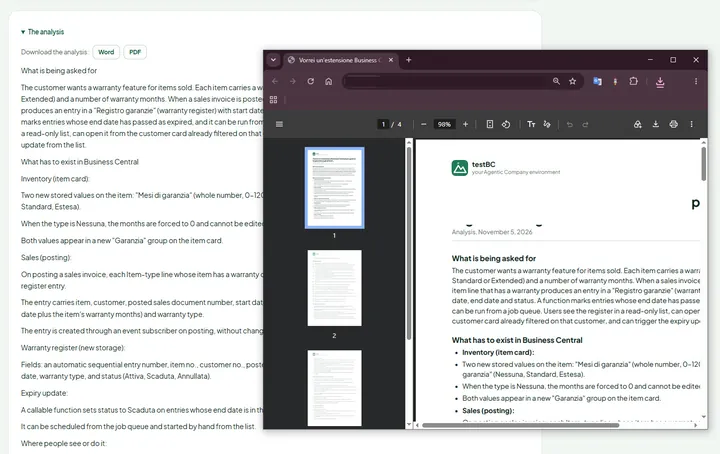
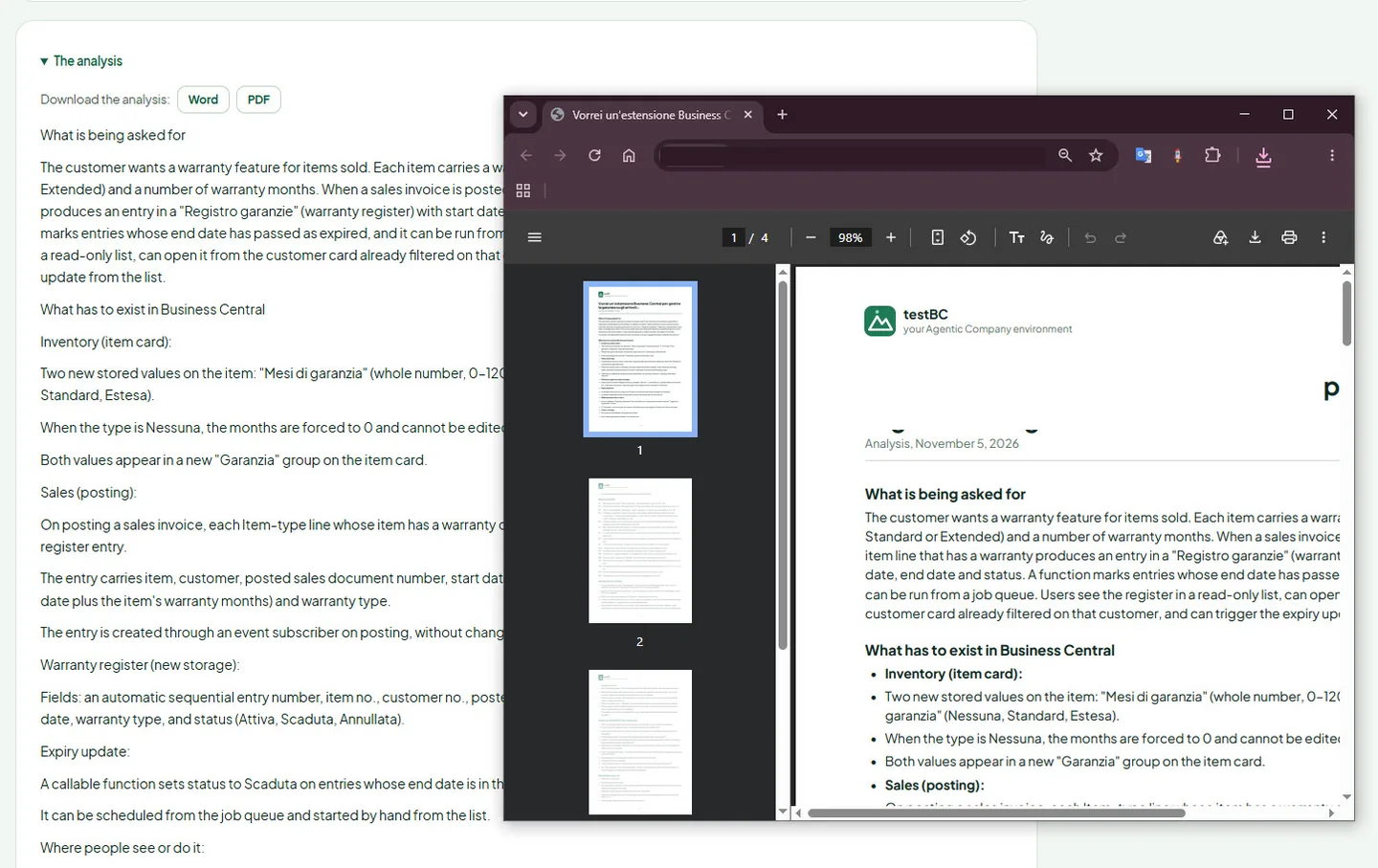
An analysis you can read, download and approve
The functional analyst turns the request into an analysis: what is asked for, what has to exist in Business Central, where people will see it. Download it as Word or PDF, then approve it or send it back.
Open full size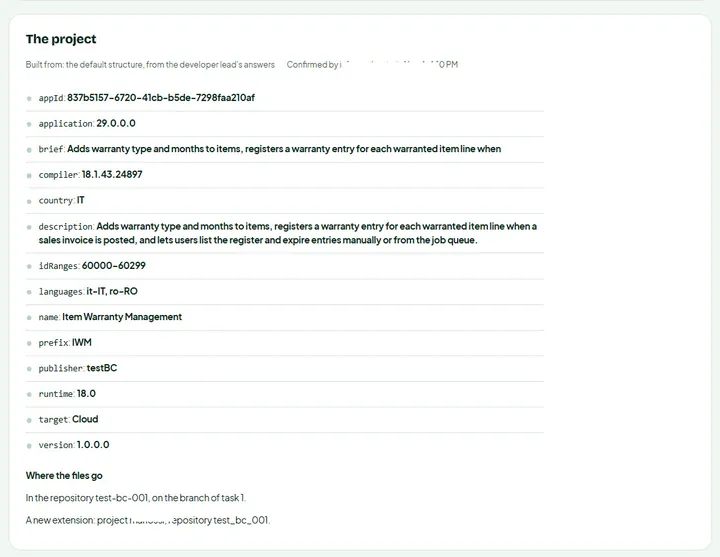
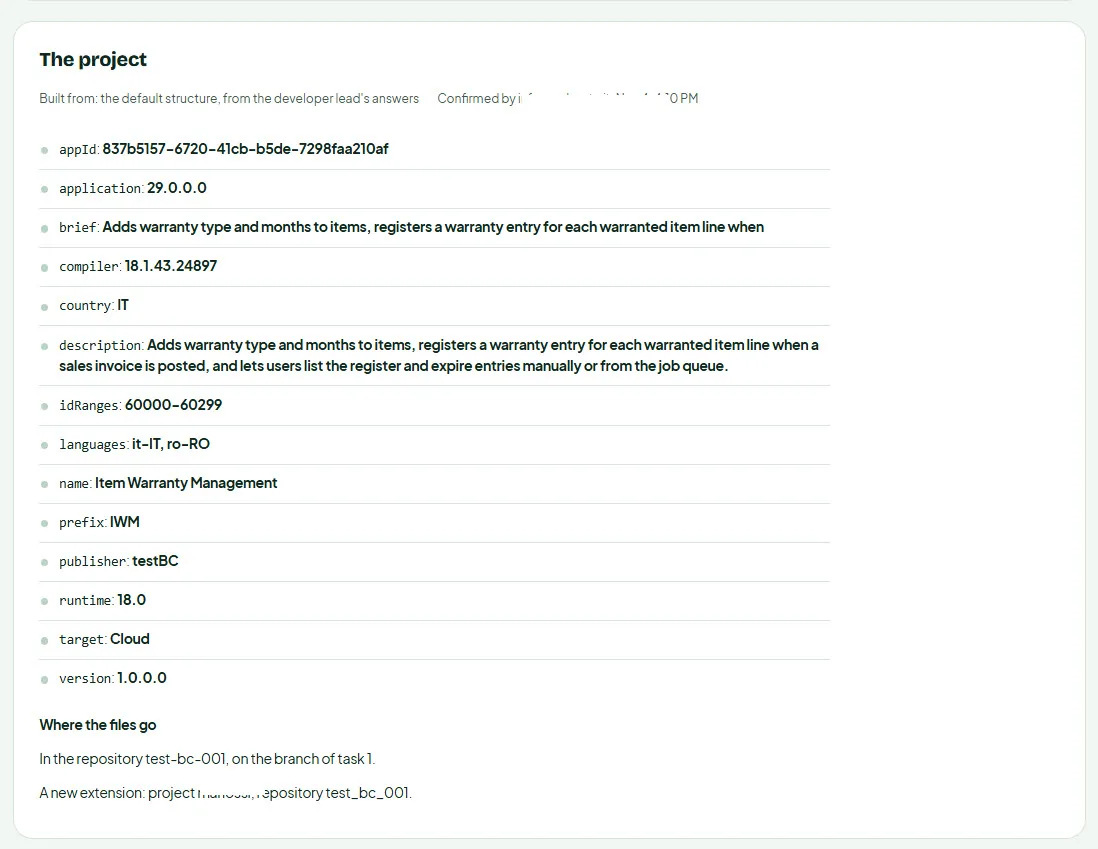
The project, confirmed before any code
The app.json as the developer lead answered it: ID ranges, prefix, target, runtime, languages, and the repository and branch the files go to. Nothing is written until a person confirms it.
Open full sizeWatch the agents work
Analysis, plan, development, review, translation: every step, every attempt, every token on record.
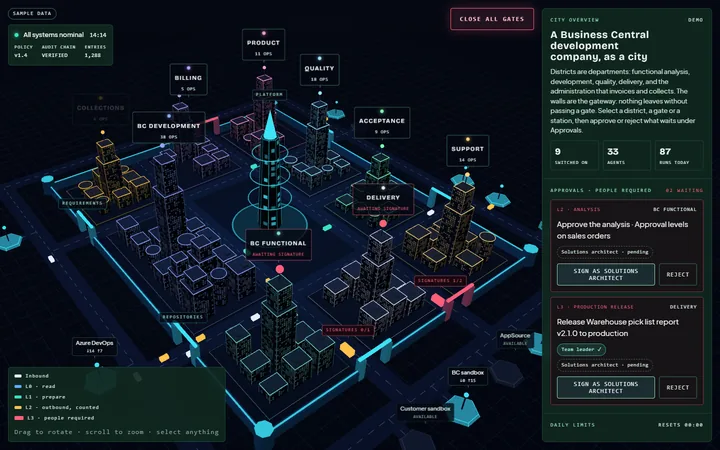
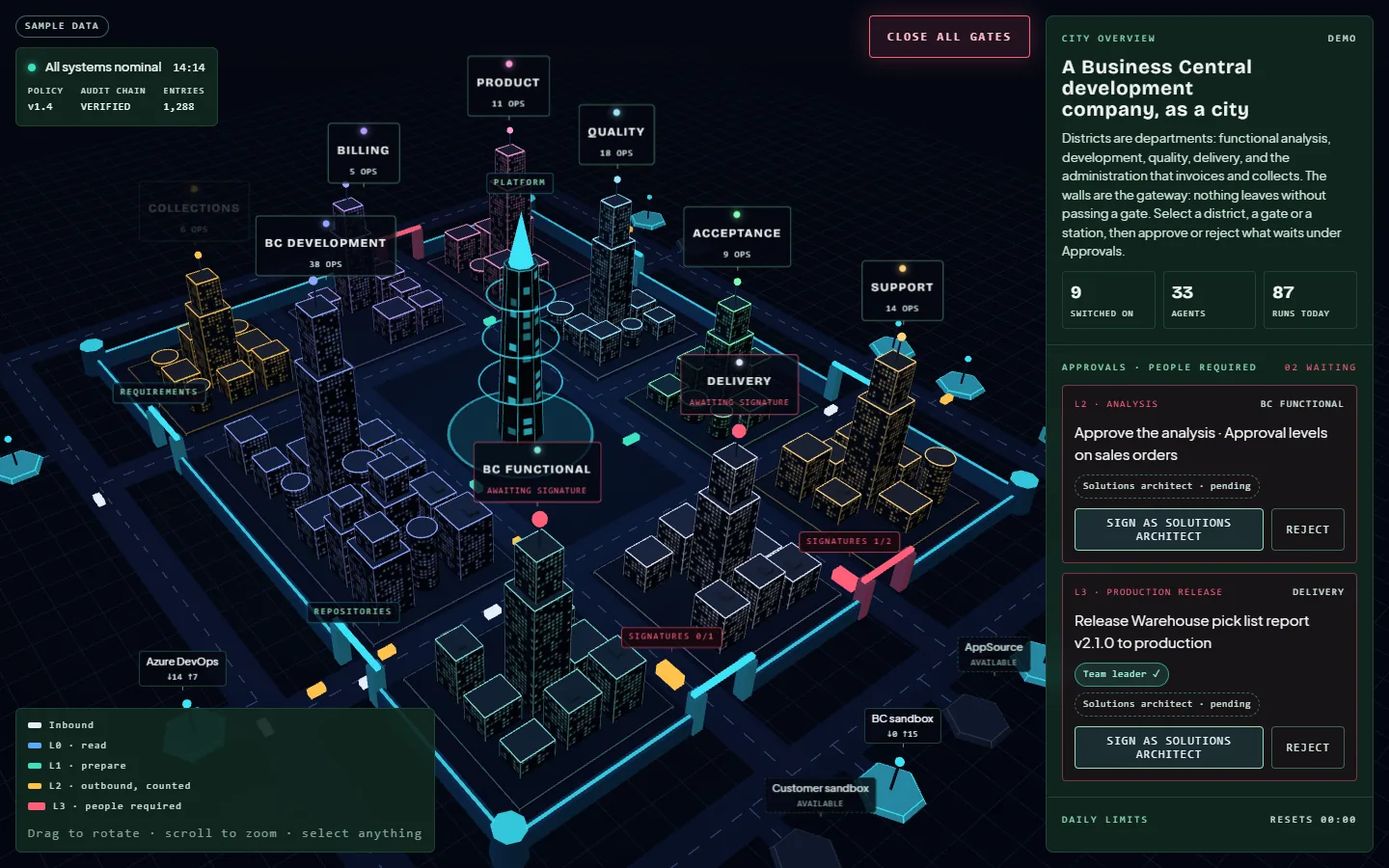
The whole company, as a city
The workspace draws your company as a city: districts are departments, the walls are the gateway every action must pass, and the stations on the outer ring are the integrations. What is running, what waits for a signature and today's limits show at a glance. Shown here with the demonstration's sample data.
Open full size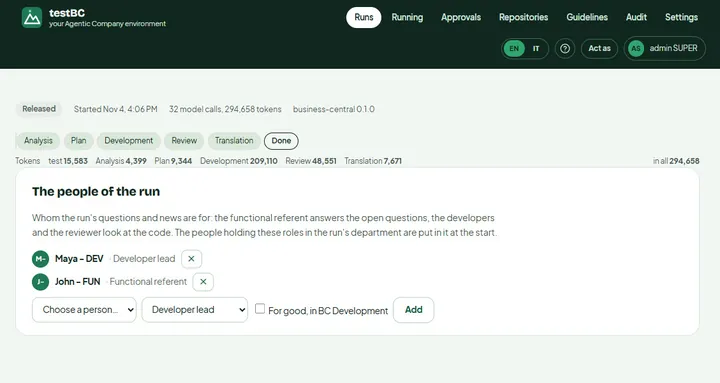
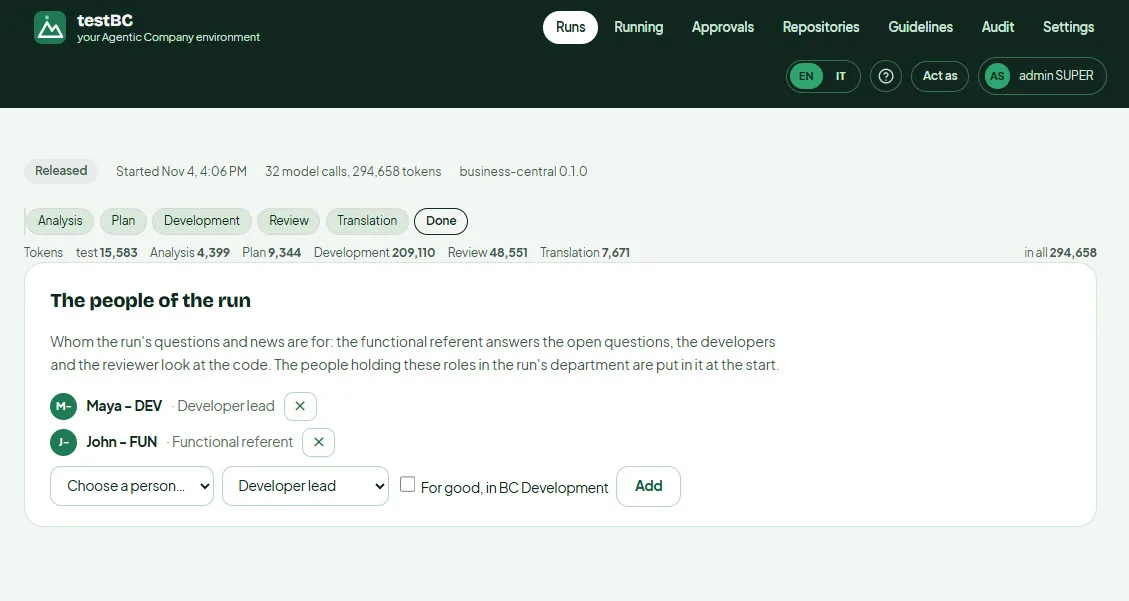
The run at a glance
Analysis, plan, development, review, translation, done: the run's steps, its people and what it cost, down to the token. The functional referent answers the open questions; the developer lead looks at the code.
Open full size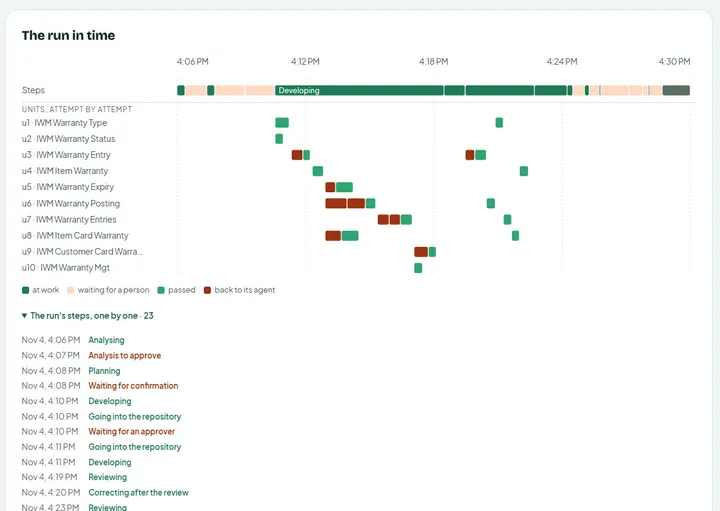
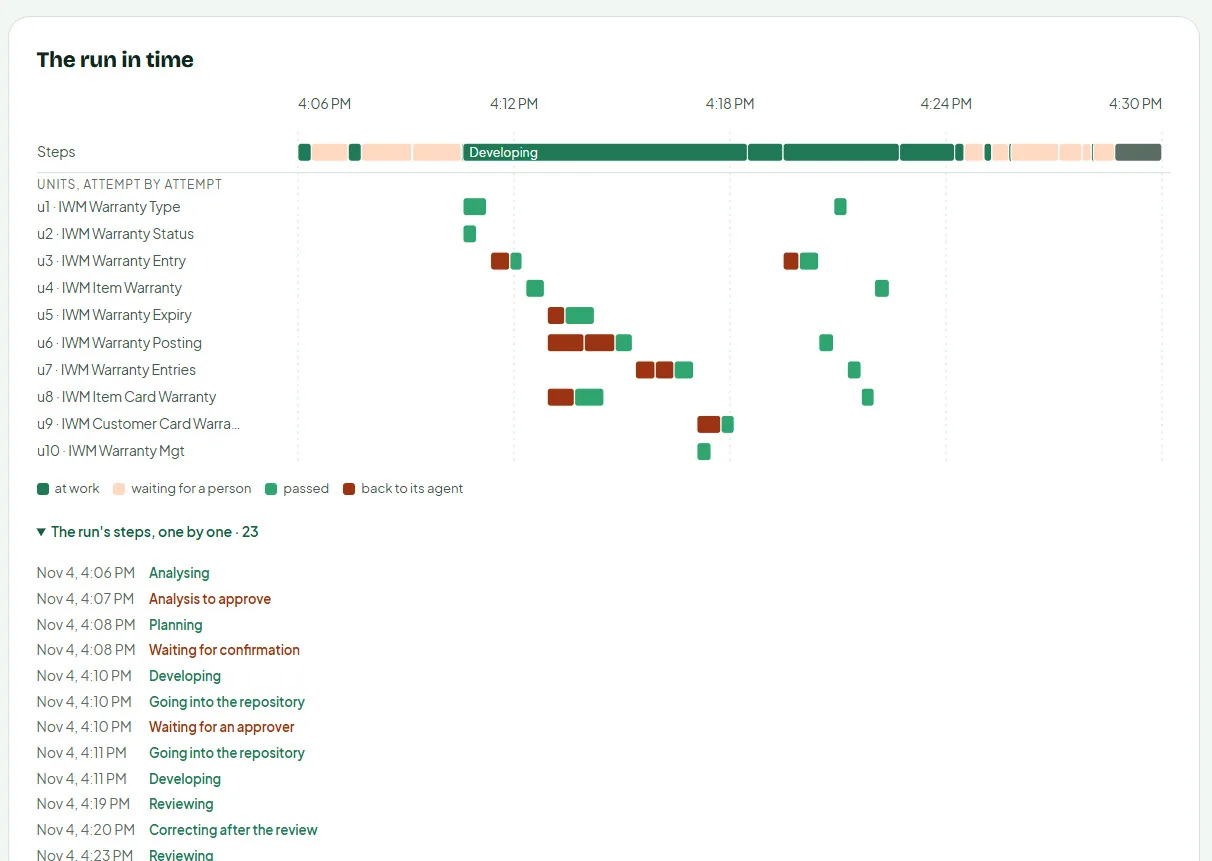
Units developed in parallel, attempt by attempt
The plan splits the extension into units (tables, enums, page extensions, codeunits) and several developer agents work on them at once. The timeline shows every attempt: green when it passes, red when the compiler or the reviewer sends it back.
Open full size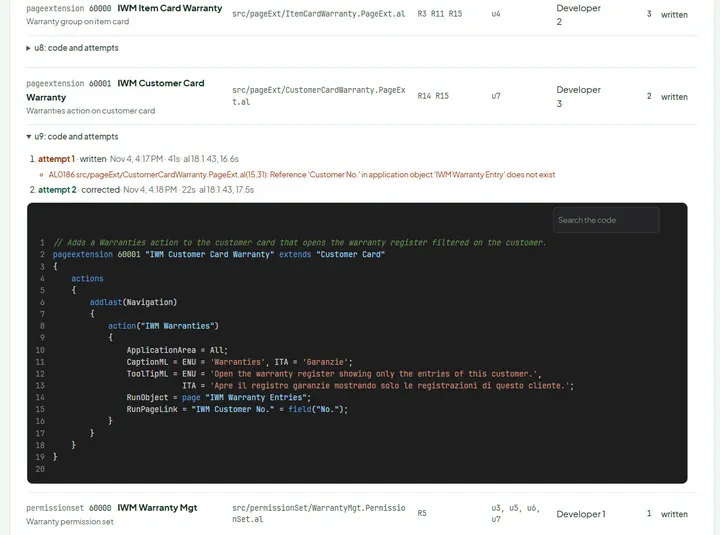
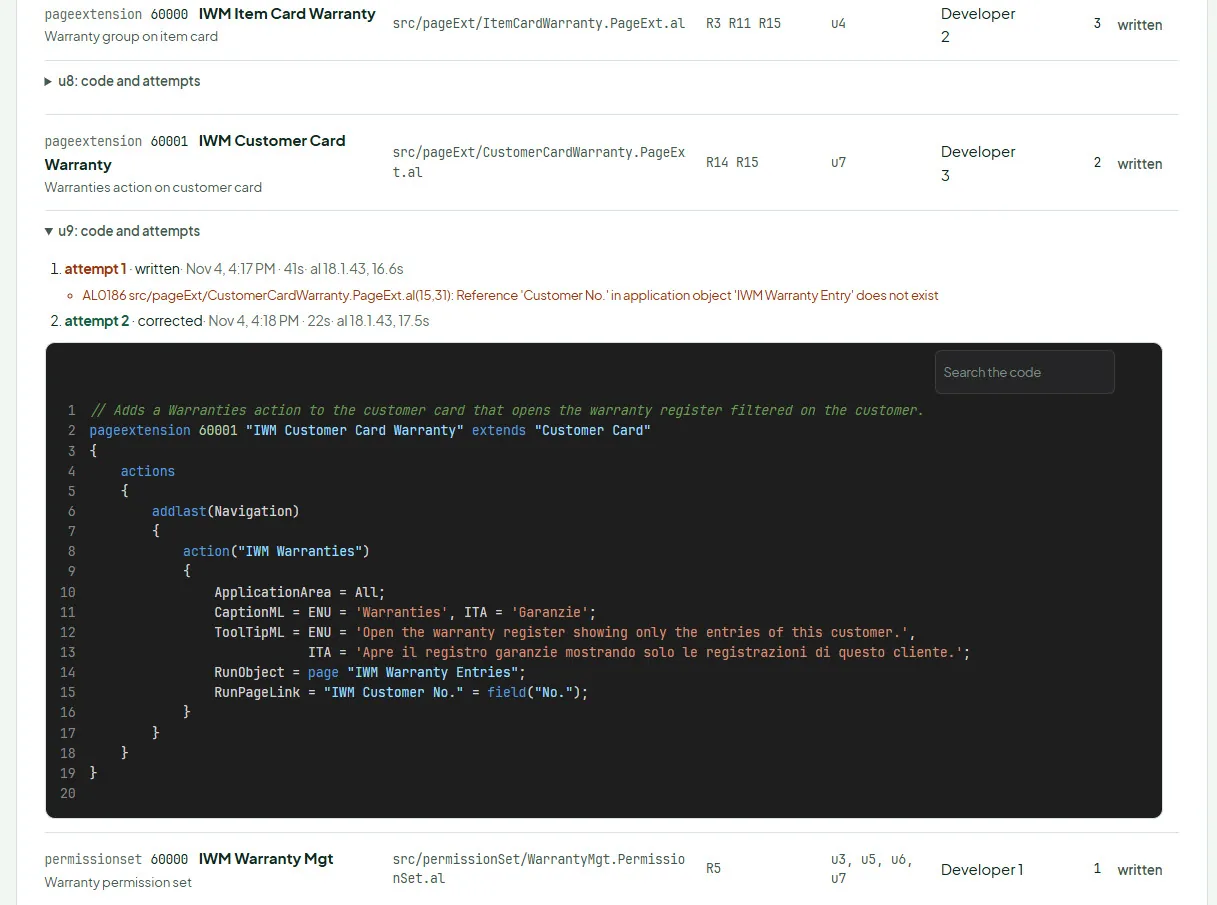
Every attempt, with the compiler's word
Each unit keeps its code and its history. Here the first attempt failed with AL0186 and the agent corrected it in 22 seconds; the AL compiler ran on both. Nothing reaches your repository without compiling.
Open full sizeReceive a tested, installable extension
A test plan for your consultants and the files to install, on their branch in your repository.
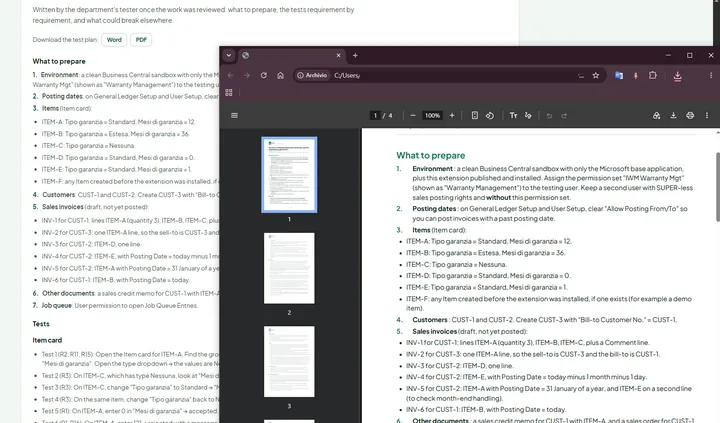
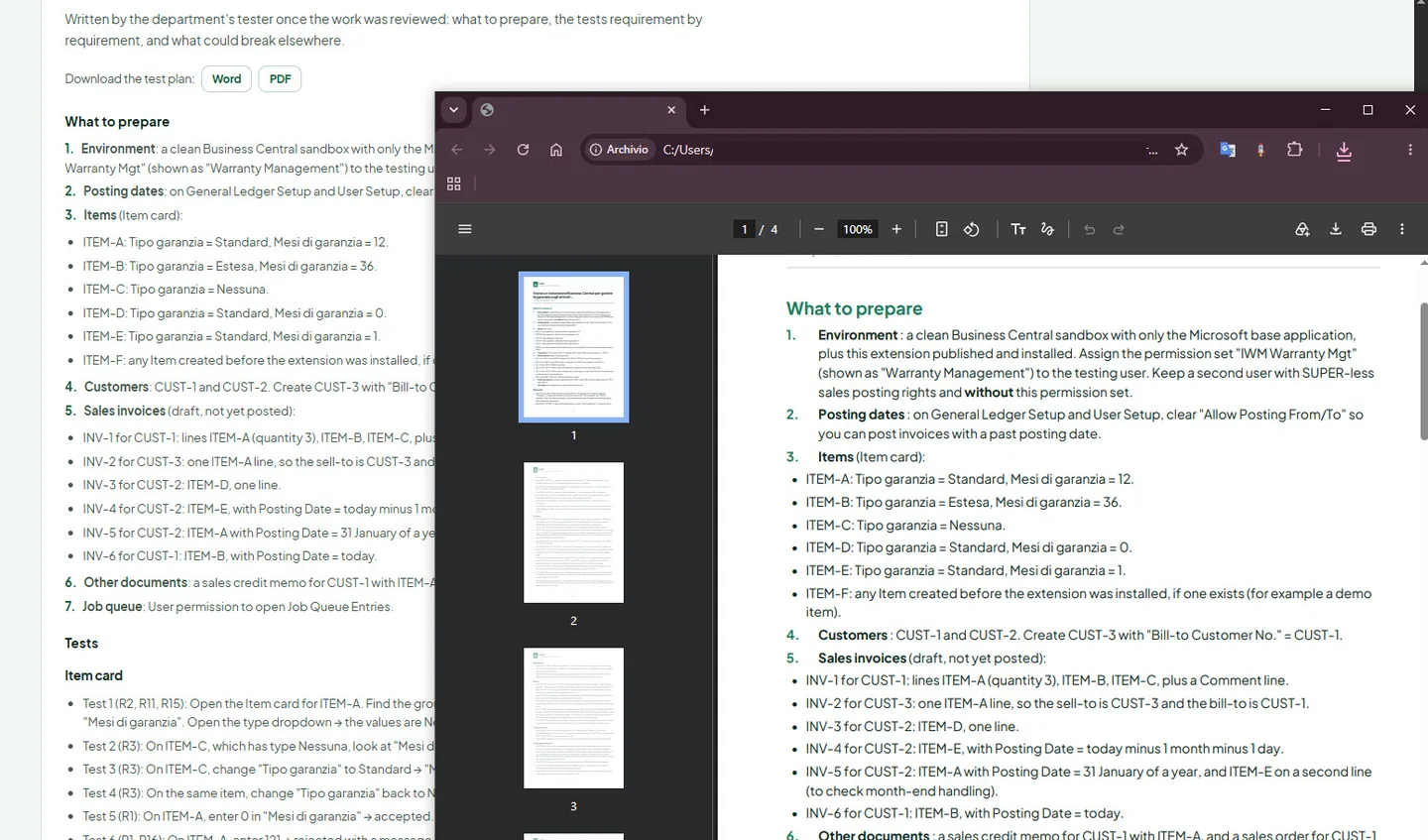
A test plan written by the tester
Once the work is reviewed, the department's tester writes what to prepare and the tests requirement by requirement, edge cases like month-end included, in Word and PDF for your consultants.
Open full size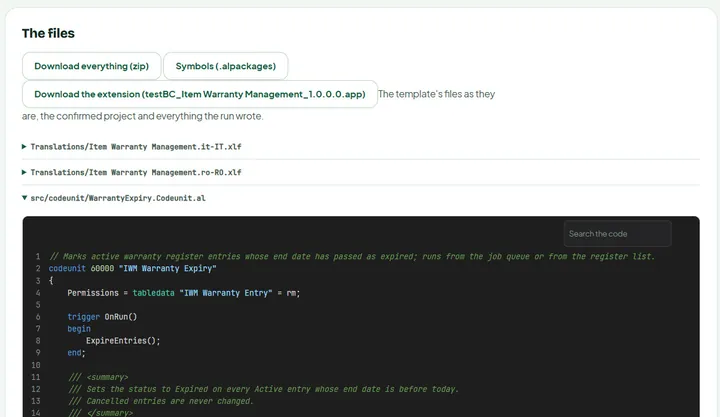
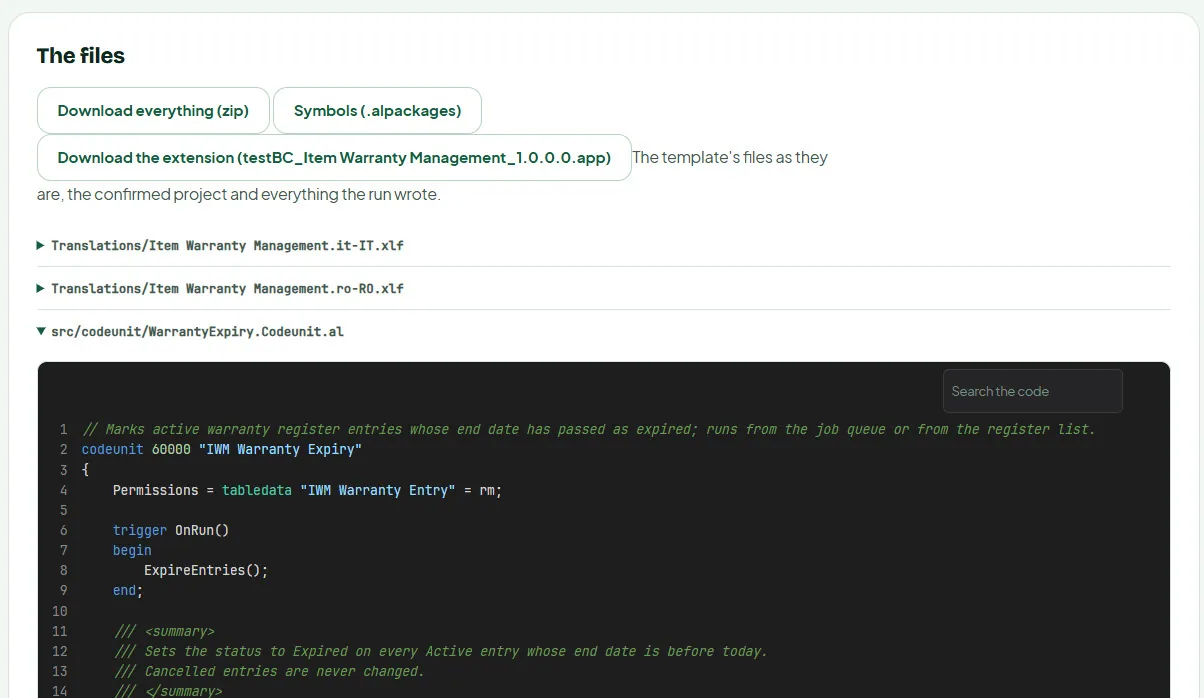
The .app, the sources and the symbols
At the end: the compiled extension ready to install, everything the run wrote as a zip, the symbols, the translations (XLIFF) and every source file to read in the browser. And in your repository, on its branch.
Open full sizeSupport built in
Help is one click away, from inside your environment, and you decide what it sees.
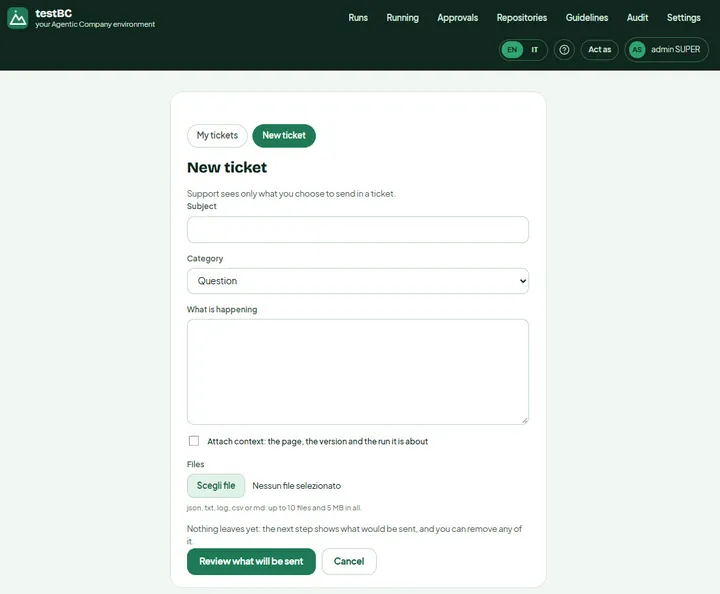
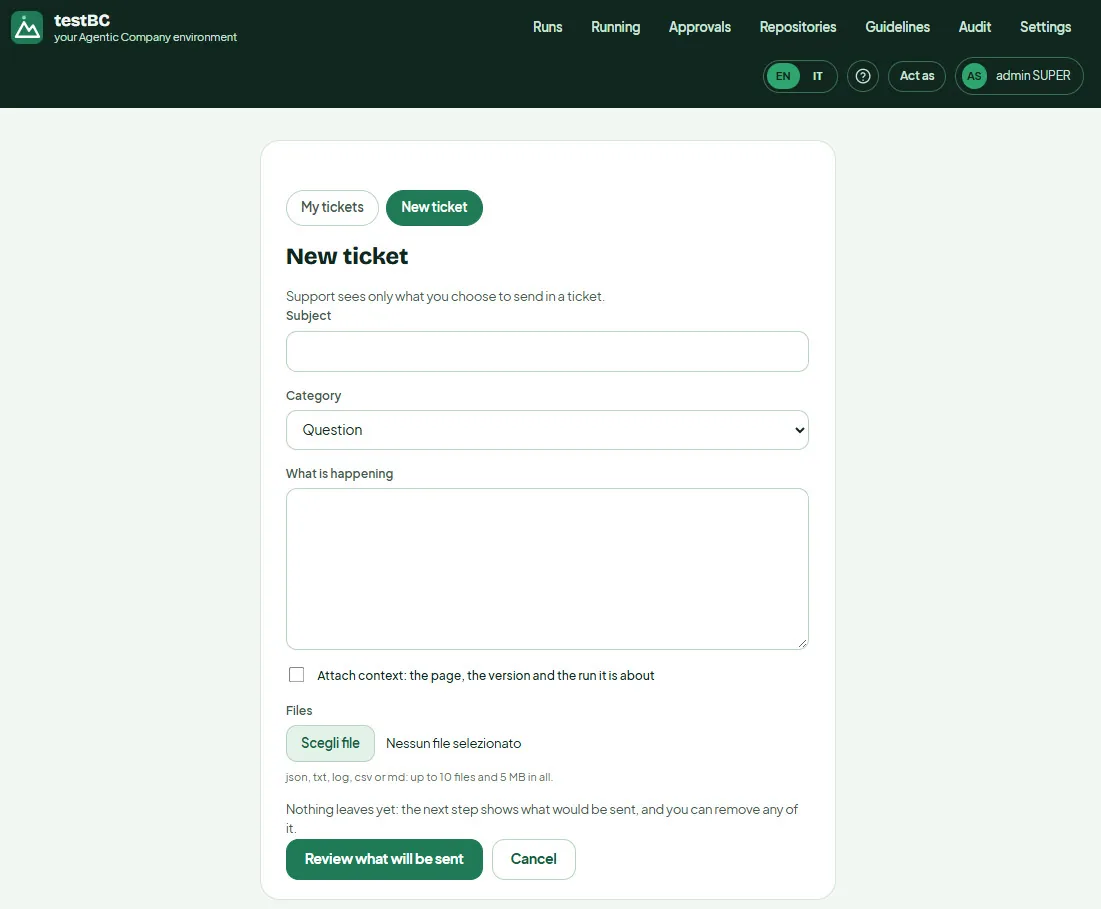
A ticket that sends only what you choose
Open a ticket without leaving the environment: subject, category, what is happening, and if you want the page, the version and the run it is about, with logs or files attached. Nothing leaves yet: the next step shows exactly what would be sent, and you can remove any of it.
Open full size